5.16.2012

Overcoming Virtual Death

Giant evolved Centaur/Fallout Wiki
While it takes my little brother an hour and a half to complete a difficult mission on Fallout: New Vegas, it takes me at least three. A majority of the time I am sneaking around corners, constantly checking my V.A.T.S. (Vault-Tec Assisted Targeting System) for nearby enemies and doing just about everything to prevent a monster popping out and killing me.

Ever since I started playing video games, I've used this crazy tactic to try and avoid the scariest enemies. When a monster like the giant evolved centaur or yao guai appear on my screen, I head for the hills. And if I happen to spot the foe too late it usually ends with my death and very real whimpers and screams. (I know, I'm a baby.)

With less time on my hands, this method makes it nearly impossible for me to finish a game. To get rid of my fear of an in-game death, I've found a new iPhone game to break me of my ridiculous habit.


For $3.99, I've been training myself with Square Enix's new iPhone game, 774 Deaths. 

Once you tap start, it begins. However, don't expect Square Enix to hold your hand in this game. There is no tutorial level, instructions on controls or even a story line. In this game, Square Enix tests your knowledge of controls on the iPhone and your ability to quickly solve difficult puzzles. 

You begin in a room with two grey characters - a man and a woman. By walking up to one of the figures, you can change your character. The following room is where the real fun begins. The room has four tombstones, another grey man - a character change - and the door to the next room that is locked. In order to progress, you must complete two of the four games.

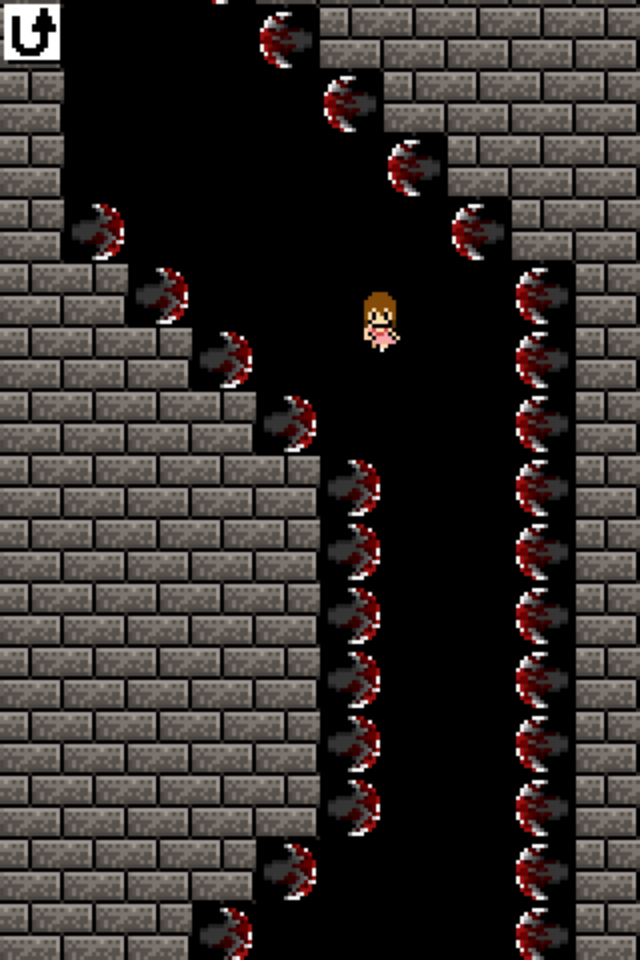
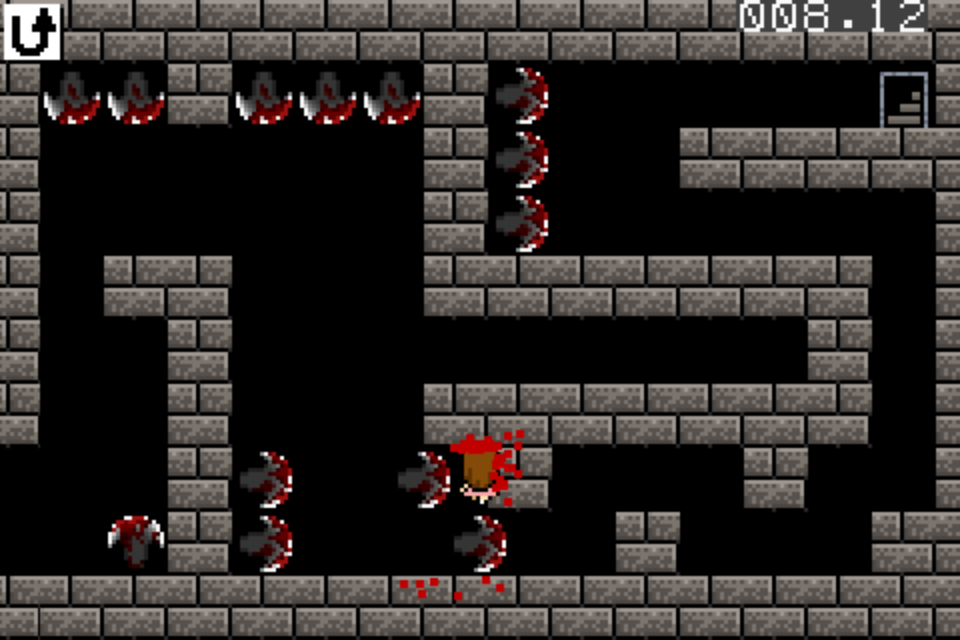
In each game there is a different layout with different obstacles and different controls, which makes the game fairly challenging. The first game was simple. You use the arrows to move and the circle to jump on stones to get across the room. Then Game 2 threw you into a room where you must tilt your iPhone and avoid the blade-lined walls. In the third game, your character automatically runs and you must tap the screen to jump. For the fourth game, you must guide your character through a maze by tilting your iPhone before the time runs out.  
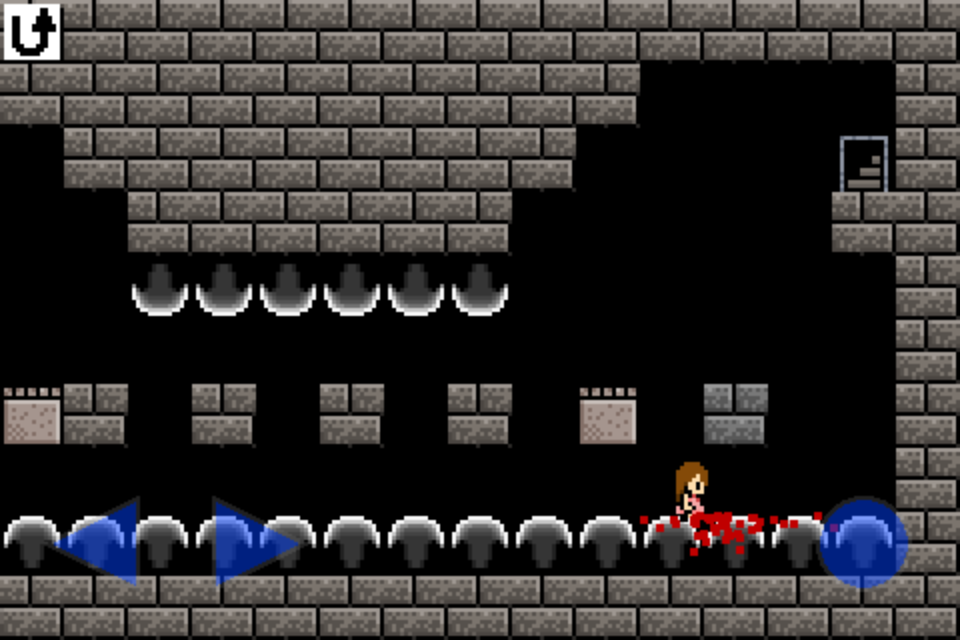
Game 1 - 12 Deaths
Game 2 - 17 Deaths
Game 3 - 3 Deaths
Game 4 - 1 Death

The reason this game is so effective in teaching me to accept the occasional pixelated death is because, as you may have guessed from the title, you die a lot. The first four rooms took me a total of 33 deaths to complete - which isn't too bad. Some of the later games have taken me well over 40 deaths to complete.

As frustrating as this game can be, it's also really fun. This games was worth the money, and it's a great game to play while I'm waiting in line at a store or while I'm waiting for a match in a game lobby. So, if you get an iTunes gift card or are willing to spend the $3.99, I recommend you check this game out. What's your favorite iPhone game?

Yours truly,
HavokRose

5.08.2012

Kittens Make Everything Better

If finals time is as stressful for you as it is for me, you'll know that procrastination is the key to staying sane. So instead of studying for my Japanese final this morning, I stumbled upon this adorable video.


Pikachu is Japanese, so this could count as studying in some roundabout way.

For those of you also battling through finals, がんばって!

As soon as this dreadful week is over, I promise more posts, possibly some videos and definitely an expansion to this site that I hope you'll love more than I do!

Yours truly,
HavokRose

4.08.2012

Eggs Are Prettier Colored


Happy Easter Everyone! 


Aside from these colorful beauties, I think the talking grunts from the Halo series were my favorite easter eggs. How about yours?

Yours truly,
HavokRose

4.04.2012

Press X Twice

You may have noticed something is a little bit different about this website. Yes, you are still on what was once known as Platform Girls, but this girl decided it was time for a new look.

After a recent poll conducted on Facebook, I decided it was time to give this blog a new name.

I came up with the name by just playing around with different video game terminology. For some reason, I looked at my controller next to me and thought about buttons... X? Then I noticed there was a Y right next to it. Just like chromosomes! (I don't know how that thought made its way into my head, I'm in a botany class right now, not biology.) Then it hit me: what about two X's, the chromosome's for women? From there, Press X Twice was born! See what I did there?

In other news, Martha Stewart has ruined my Facebook game.


She wants to have some sort of Easter feast or something... Oh, goodness.

Anyways, what do you think about the changes? Let me know in the comments below.

Yours truly, HavokRose

4.01.2012

Magazine Clipping Art

Over my spring break, I got a little crafty. Sometimes it's hard to find the perfect mashup of your favorite games/movies/books/cartoons, so I decided to make one of my own.

I am a diehard Moonie (Sailor Moon Fan) and Zelda fan, so I decided to bring those two loves together in this unique piece of art: 


I made this little beauty out of magazine clippings that gives it a unique shine and texture. I absolutely love how it turned out. While I was at it, I made this one for my boyfriend: 


Interested in making your own magazine masterpiece? Here's how you do it: 

1. Sketch out a draft of the image you want to make. But keep in mind, curves can be difficult if they are small and take more time to fill in. 

2. Layer the scratch sheet on top of the card stock and retrace the image, making sure you press hard enough so there are imprints on the car stock. 

3. Trace the imprints with your pencil. 

4. Look through your magazines and find colors to fill in your picture. Then, cut them out.

5. Try to find patterned colors as well, such as fluffy pillows for white or a fading background. Patterns will give texture to your pictures. 

6. Begin gluing your clippings onto the card stock. If you have a lot of background area, try covering that first, but try to keep some space around the drawn image. You'll fill those spaces in later.

7. After filling in the details (Like I did with the moon and triforce), fill in the blank spaces with the background color. For curves and straight lines, try to cut background pieces to help form the borders of the image to make clean edges and smooth curves.

 8. Once the image is filled in, add details. I cut out stars with my mom's precision scissors. Adding words also make for a nice touch. 

9. After adding the details of your choosing, find a frame, put in your masterpiece and hang it up. 

10. Take a picture of it and post it here. I'd love to see what you create! 

Yours truly, HavokRose 


3.13.2012

Did you say, free?

The last computer game I seriously played was the Sims 3 - about two years ago. This Thursday, that may change. Since most of my gaming experience has been on consoles, I've never been too interested in MMO's. But this is one I will definitely try.


Today, IGN reported Star Wars: The Old Republic will offer new users a free trial starting Thursday, March 15 and ending Monday, March 19. The trial gives users the opportunity to try out the eight available classes and explore their Orgin world and Capital world. PVP Warzone will also be available along with The Esseles and Black Talon flashpoints, IGN reported.  


As a Star Wars geek, I am incredibly excited. I've heard great things about this game, and it'll be my first MMO. I think this would be a great way to get started, and if I don't like it, I can at least say I've tried. Let me know if you plan on taking part in this trial!

Yours truly,
HavokRose


3.01.2012

Mmm... Donuts.

Since I got my iPhone last August, I have been on the hunt for ways to make the little machine reflect me and my interests. I have over 600 pictures and five pages of apps. The memory on the little poor device is almost bloated with the 572 songs and three movies I have on it. However, I keep pushing it's limits.

I love the Simpsons. Especially the games. I remember countless hours I spent as Lisa, running around Springfield in The Simpsons Arcade Game, Road Rage, Hit and Run and the recent The Simpsons Game.


Now, EA has cranked out another Simpsons game to occupy the time I don't have. This time it's free and for the iPhone - sorry Android users. 


The Simpsons: Tapped Out is the newest addition to the Simpsons game collection and it is wonderful! I've only begun the tutorial, but I'm already in love with the plot and the gameplay. In this game, Springfield is wiped out by a nuclear explosion, thanks to Homer. He is the only person left in what used to be Springfield. It has become a large field of grass with scattered products of nuclear waste. It is your job to rebuild the iconic town. With a simple tap and a bit of money, you have ability to place buildings, foliage and decor wherever you desire.

The controls  can be a little tricky at times. Tapping something once doesn't always complete the action desired. Precision is key, and when the target is only a few pixels big, it can be a little tedious. Despite this hiccup, the game has already become addicting. So much for doing my Japanese homework.

If you download this game, what do you think? Let me know in the comment section below!

Yours truly,
HavokRose